
A form submission is not a booked plumbing job. Use an immediate confirmation, timed alerts, and a named callback owner to keep inquiries from sitting unnoticed.
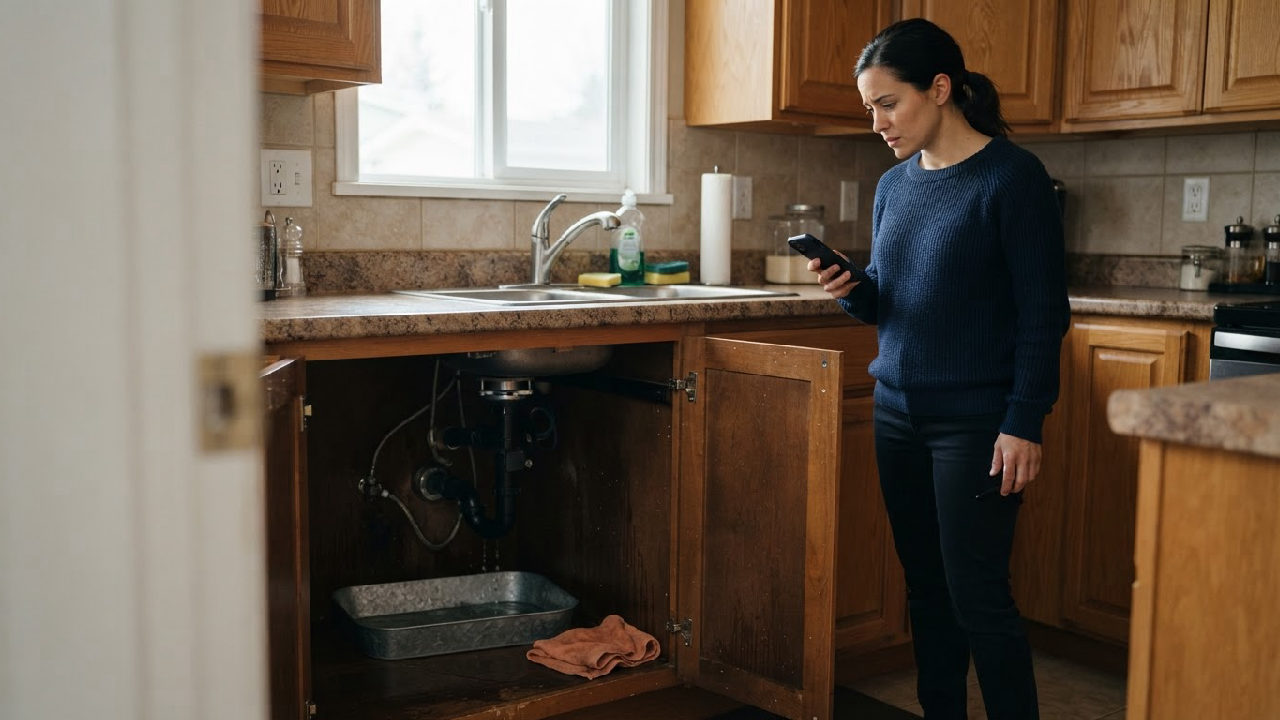
A homeowner submits your plumbing website’s form while water pools beneath the kitchen sink. Your crew is on jobs, the office inbox goes unchecked, and the homeowner calls another plumber. You may never learn whether that inquiry was bookable.
Better plumbing lead response starts with instant form confirmation, a named callback owner, and alerts when a human response is overdue.
You’ll learn how to set up that small workflow, separate acknowledgment from actual help, and measure whether fewer inquiries are being left unattended.
The customer’s clock starts before your office sees the inquiry
Customers cannot see your dispatch board. They do not know whether you are finishing a repair, driving between jobs, or covering reception yourself. After submitting a form, they need to know whether it worked and what happens next.
Silence creates two problems: uncertainty for the customer and an invisible queue for your business.
An instant confirmation addresses the first problem. A response-time alert addresses the second. Neither replaces a person who can check the service area, understand the request, and discuss availability.
An acknowledgment confirms receipt. A meaningful response moves the inquiry toward a decision. That decision might be an appointment, a request for more information, or an honest explanation that you cannot take the job.
One sink leak exposes the gap between “sent” and “assigned”
Illustrative scenario—not a customer case study: A homeowner sends a leak inquiry at 10:12 a.m. The submission reaches a shared inbox. The office coordinator is handling a supplier call; the owner assumes the coordinator will respond.
At 10:35, the owner notices the message and forwards it to a technician. The technician is underneath another customer’s basin and does not see it immediately. Nobody has accepted responsibility for calling back.
When someone finally reaches the homeowner, they have already arranged another visit.
The failure was not simply a slow email. It was an unassigned request moving between busy people. More notifications to the same people would not necessarily have changed the outcome.

Plumbing lead response breaks when receipt looks like ownership
A response-time alert is an internal notification triggered when an inquiry has not reached a defined response milestone within a chosen interval.
An instant form confirmation is an automatic message telling the customer their submission was received. It must not imply that a plumber is dispatched or an appointment is confirmed.
The root cause is often a missing connection between those two events: receipt and human action.
Use this recommended Receive–Own–Respond–Resolve framework:
- Receive: Record the inquiry and confirm receipt.
- Own: Assign one person responsibility for the next action.
- Respond: Make a human contact attempt and record the result.
- Resolve: Record a disposition, such as booked, outside service area, awaiting customer, or unavailable.
Here, “resolve” means closing the inquiry loop—not completing the plumbing repair. This distinction prevents an acknowledgment or attempted call from being mistaken for a finished job.
The hidden cost is wasted attention before it becomes lost work
Slow follow-up can affect revenue through a straightforward mechanism: a potentially suitable customer does not reach a booking conversation while still looking for help.
Not every delayed inquiry would have become a job. Some are duplicates, unsuitable requests, or outside your service area. Measure those differences rather than attaching an invented revenue figure to every unanswered form.
There are operational costs too:
- Two employees call the same person because neither sees the other’s activity.
- A technician stops paid work to investigate a request the office already handled.
- Marketing attracts inquiries, but nobody can explain what happened after submission.
- The owner repeatedly checks messages instead of managing the day’s work.
The practical goal is not constant interruption. It is making unattended inquiries visible while allowing everyone else to stay focused.
More notifications and a faster autoresponder are incomplete fixes
A shared inbox can work well at low volume, provided someone owns it. It becomes unreliable when “everyone checks it” is the whole process.
Sending every inquiry to every phone adds noise. Staff may assume somebody else is responding, and repeated alerts become easier to ignore.
An autoresponder alone has a different weakness: it can make your reporting look fast while customers still wait for actual help. A message saying “We’ll be with you shortly” also creates an expectation you may not meet.
Buying a larger CRM does not automatically solve either problem. Before adding software, decide:
- Who owns new inquiries during each coverage period?
- What counts as a response?
- Who takes over when the first person is unavailable?
- What does the customer hear outside staffed hours?
If those answers are unclear, configure the workflow before expanding the toolset.
Start with one form, one owner, and one backup
Recommended implementation: Pilot this process on your main website inquiry form before adding other channels.
Confirm receipt without promising a visit
Display a successful-submission message and, if the customer supplies an email address, send a confirmation. Keep both consistent with your actual coverage.
Suggested wording:
Thanks—your plumbing inquiry has been received. This message does not confirm an appointment or dispatch. Our team will review your request during our posted office hours and contact you about availability. If you need immediate assistance, call the number shown on our website. If there is immediate danger, contact the appropriate emergency service rather than waiting for this form.
Only direct customers to an immediate-response phone line if you actually staff it. Outside hours, state when inquiries will next be reviewed. Do not let confirmation language imply round-the-clock monitoring.
Assign responsibility before starting the timer
Choose a primary owner for each staffed period and a backup who can act. For a small plumbing company, that might be the office coordinator and then the owner.
Create a visible record containing the submission time, customer contact details, service area, short problem description, assigned owner, and current status. Collect only information you need and restrict access appropriately.
A shared inbox with assignment features may be enough. Use a CRM or automation tool when your existing tools cannot reliably track ownership and timestamps.
Make alerts trigger a specific action
A five-minute first human contact attempt can be a useful staffed-hours operational target, not a promised resolution or a research-backed universal benchmark.
One recommended starting configuration is:
- At receipt: notify the assigned owner.
- After two minutes without acceptance: remind that owner to take responsibility.
- After five minutes without a recorded human contact attempt: alert the backup to take over.
Adjust these intervals to your staffing and inquiry volume. Accepting an inquiry should stop acceptance reminders, but it should not stop the response timer. Otherwise, clicking “assigned” can hide an untouched request.

Keep automation on the administrative side of the handoff
Automation can acknowledge receipt, assign records, run timers, and send alerts. Human handoff occurs when a named person takes responsibility for assessing and contacting the customer.
Escalation means transferring responsibility to an available backup when the normal route fails or the request requires a decision beyond the first responder’s authority.
Have a person confirm service fit, availability, pricing arrangements, and appointment details. Do not rely on automated text classification as the only safeguard for urgent or hazardous situations. Technicians should not be expected to handle alerts while driving or doing work that requires their full attention.
Measure the human response—not just the outgoing message
Test the workflow before relying on it. Submit a test inquiry during coverage, another outside hours, and one while the primary owner is deliberately unavailable.
Use this go-live checklist
- Confirm the form creates a record and shows a receipt message.
- Check confirmation email delivery, including the spam folder.
- Verify that the correct person receives the new-inquiry alert.
- Leave a test inquiry untouched and confirm backup escalation.
- Record an attempted call and verify that response alerts stop.
- Check that unsuccessful contact still leaves a follow-up task.
- Confirm after-hours wording matches real staffing.
- Check for duplicate notifications and unnecessary customer-data exposure.
Compare equivalent periods before drawing conclusions
Record a baseline, then review the pilot over a comparable period. Separate staffed-hours inquiries from after-hours submissions, and report counts alongside percentages when volumes are small.
| Measure | Before the change | During the pilot | What it tells you |
|---|---|---|---|
| Confirmation delivery | Record whether receipt is confirmed | Check sends and delivery failures | Whether acknowledgment works |
| First human attempt | Calculate elapsed time from submission | Compare median and slower-end response times | Whether people act sooner |
| Unattended inquiries | Count requests without a recorded attempt | Compare counts and share of inquiries | Whether requests still disappear |
| Successful contact | Record two-way conversations | Compare with contact attempts | Whether customers are actually reached |
| Qualified booking rate | Booked inquiries divided by qualified inquiries | Apply the same qualification rules | Whether booking outcomes change |
| Backup escalations | Note manual chasing where known | Count alerts and takeover actions | Whether coverage needs adjustment |
Faster response alongside better booking results is useful evidence, but it does not prove response speed caused the change. Availability, seasonality, inquiry quality, and service mix can also affect bookings.
Q: Does an automated confirmation count as a response?
A: It counts as an acknowledgment, not a human response. Track the first human contact attempt and the first successful conversation separately.
Q: Should every plumber target five minutes?
A: No. Five minutes is a possible operating target during staffed hours. Choose a target your team can consistently support without compromising safety or misleading customers.
Q: What if nobody can monitor inquiries after hours?
A: Explain that clearly on the form and confirmation. Queue the inquiry for the next staffed period, and make sure any alternative contact route reflects actual coverage.
Fix the response gap before sending more inquiries into it
Key takeaways
- Confirm receipt immediately without implying a booking or dispatch.
- Assign one callback owner and a real backup.
- Trigger alerts from missing human action, not merely unread emails.
- Measure contact attempts, successful conversations, and qualified bookings separately.
- Test after-hours handling and escalation before expanding the workflow.
If you cannot confidently say who owns the next website inquiry—or what happens when that person misses it—start there.
Request an AdResst Local AI Visibility / lead-response audit. Ask for a review of the path from local discovery to form submission, confirmation, callback ownership, and backup escalation, so you can identify the next practical fix before adding more complexity.
Last reviewed: November 17, 2026.
Ready for the next move?
See exactly where your business is losing calls, and what it takes to fix it.
Free 3-Second Audit